Users
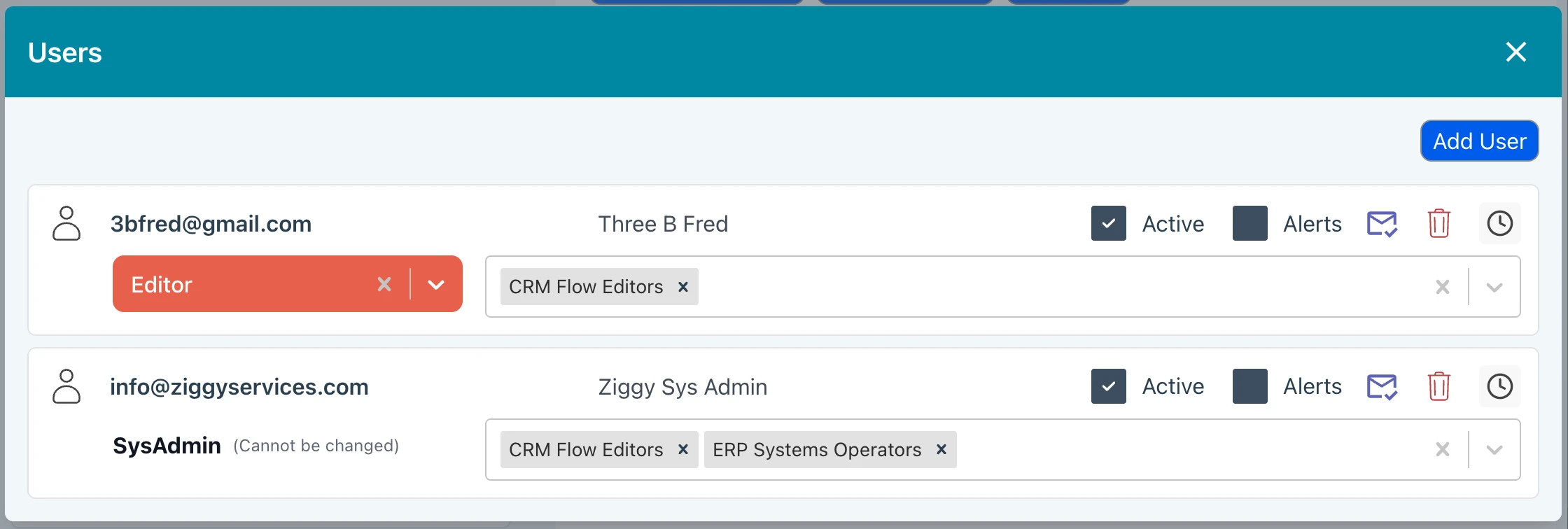
Press Users button to manage Ziggy users.
- Assign the user's system wide role.
- Assign users to teams.
- You can reset a user's password by pressing the envelope icon. This will send an email with the new password to the user.
- You can configure whether a user should receive Alerts.
- Suspend a user, preventing access until reactivated.
- Delete a user.
- Events (clock icon) shows when users were added or assigned to teams. You can also see assignment events in the Event Log.