HubSpot Read
This block reads data from any Hubspot object in two ways.
- Batch operation - all records are read from the object in batches.
- Lookup - the records to read are determined by the incoming edge data.
Batching
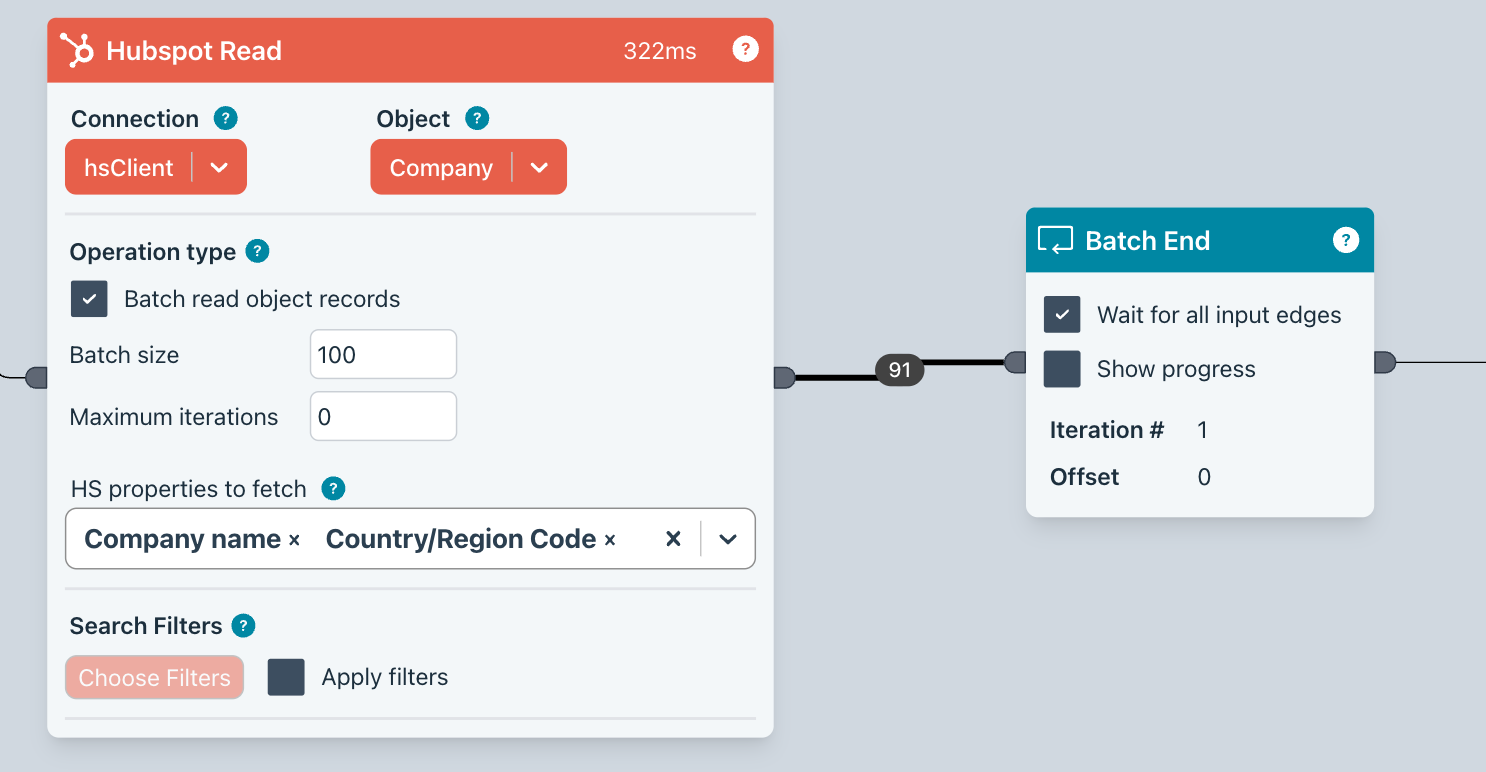
You can see that we are reading batches of 100 records from Companies.
You can also specify which properties you fetch. If you leave this field empty, it will fetch all properties. Unless you need all properties, you should select only the properties you need. This will increase performance.
The fetched data will be placed on the output edge.
Important: you must provide a corresponding Batch End Block to close the loop.
Filtering
You can specify a filter using Filter Groups and Filter as HubSpot provides in the UI.
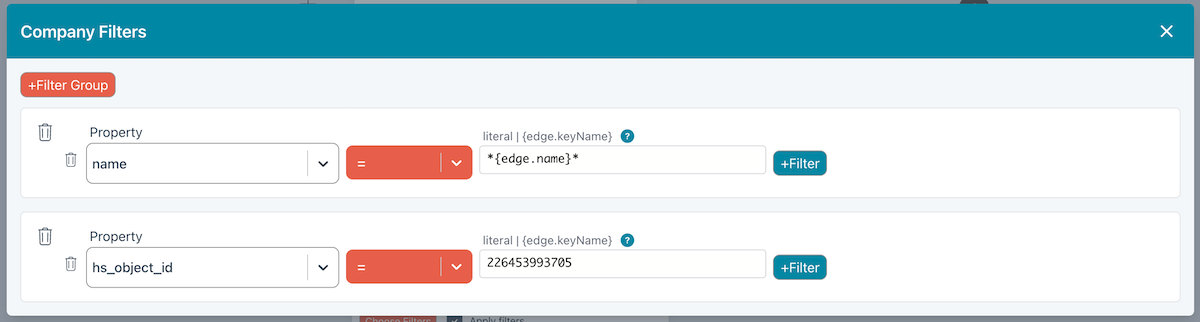
- OR conditions should be placed in separate Filter Group boxes (there are two in the above image).
- AND conditions belong in the same Filter Group.
- Use can use
{edge.keyName}to use data on the input edge to use as the value. Run the Flow up to the Hubspot Read Block so you are provided with dropdown suggestions when you press the.key. - For substring matches, use the
*wildcard character as shown above.
Lookup
The configuration below shows how we are using data on the incoming edge to perform a lookup in Hubspot Companies.
Note that 'Batch read 'is no checked.
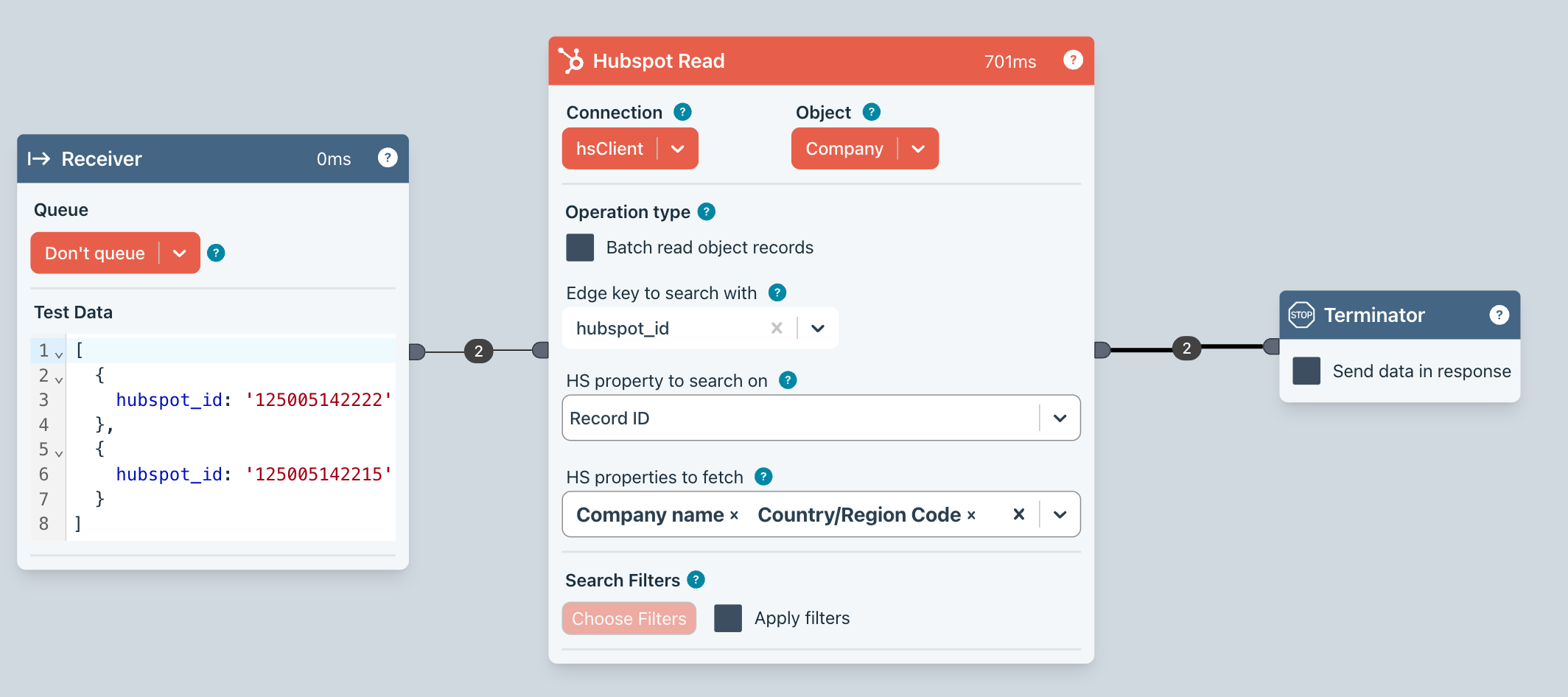
- We are using test data in the Receiver block to demonstrate the way the lookup function works.
- In the Edge key to search with field, you specify which key on the incoming edge contains the value to lookup -
id. - In HS property to search on, you then specify which Hubspot property should be used for the lookup. It will show you only unique properties
hs_object_id. - Finally, specify which properties to fetch. If you leave this field empty, it will fetch all properties. Unless you need all properties, you should select only the properties you need. This will increase performance.
Tip - run the Flow up to the Read block so there is some edge data available. This will populate the Edge key to search with dropdown. Alternatively, enter the key name and press enter.