REST API Call Block
This Utility Block is used to make REST API calls.
Note, you can also make REST calls using the axios method in the
Javascript Block.
Method
Choose the REST method from the button.
URL
Specify the fully URL.
You can insert tokens in the URL field (see below). The is most commonly require for pagination
where you have offset and skip type pagination query parameters.
Headers
You can add as many headers as you require. Tokens can be inserted
Body
Not available for the GET method, this is the request body. See below for {tokens} you can
insert.
Response data key to output
You can leave this field empty, in which case the entire response data object is output.
However, many APIs return that where you want to extract the data array from a specific key in the
response data. For example results would indicate that the results key in the response data
contains the data array you need to output.
Batching
All methods support batching. If you check the Batch box, then you should specify
Limit number of fields to fetch
- Batch size - Ziggy expects to find a query parameter with a value token
{limit}. This token will be replaced at runtime. - Max iterations - the number of batch iterations to execute. A value of 0 indicates it should loop until there is no more data available.
Offset / pagination
Ziggy will expect to find an {offset} token either in the URL or in the Body. This then gets
replaced with the pagination value at runtime.
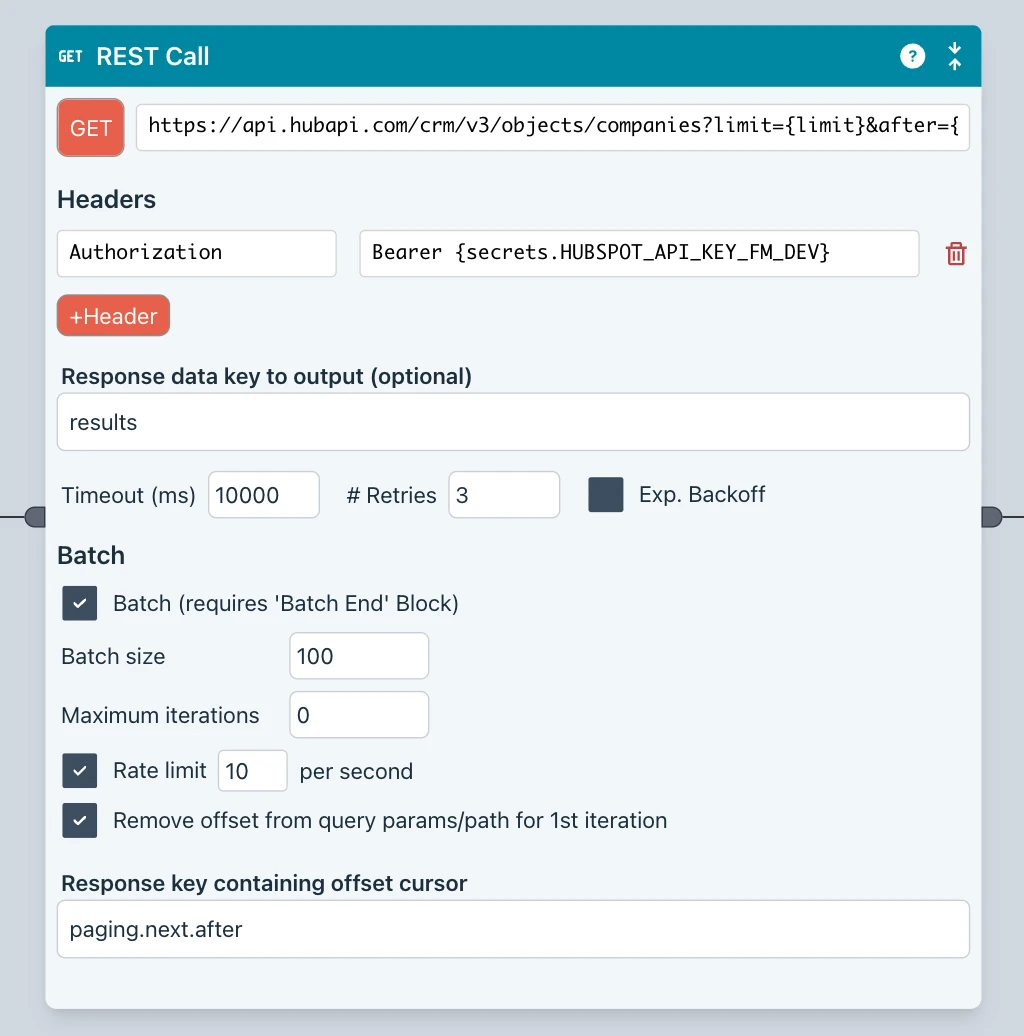
This is an example of a GET call for batching.
https://api.hubapi.com/crm/v3/objects/companies?limit={limit}&after={offset}
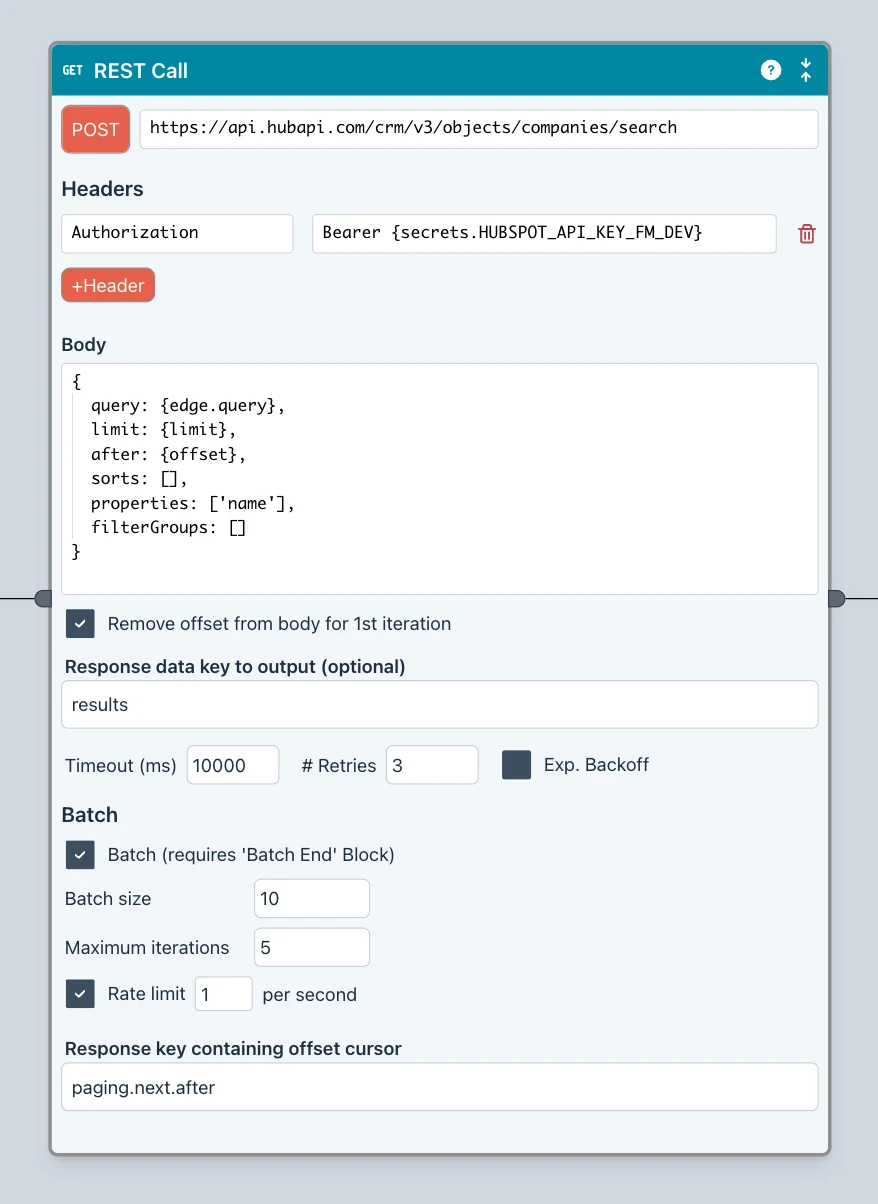
And this shows a POST operations body field for this URL.
https://api.hubapi.com/crm/v3/objects/companies/search
{
  query: {edge.query},
  limit: {limit},
  after: {offset},
  sorts: [],
  properties: ['name'],
  filterGroups: []
}
Remove {offset} for 1st iteration
This applies to all methods when in Batch mode.
Some platforms (notably HubSpot) will error if you include the pagination value (after for
HubSpot) query parameter for the 1st iteration.
Checking this box instructs ziggy to remove the {offset} token and its associated parameter name
for the 1st batch iteration.
This can be applied to the URL and the body.
Rate Limit
Check this box if you want to impose rate limiting within the batch. Then enter a value that restricts the number of calls per second that the API endpoint allows.
This only offers protection for a single Flow execution. If your Flow is being called and executed simultaneously this will not work reliably.
In such situations, you should use a Queue and allow only 1 executions
Response key containing offset cursor
If you leave this field empty, then Ziggy will replace the {offset} token with the number of
records that were returned in the last call (as determined by the value you provided in
Response data key to output).
Token insertion
You can insert tokens in the following input fields.
- URL
- Header input fields (both)
- Body
The following tokens are supported
{limit}- batch size value (# records to fetch){offset}- pagination value{edge.edgeKey}- a value taken from the 0th element object of the input edge{secrets.secret_name}- a secret name from the Secrets Manager
Retries
You can specify the timeout period and number of retries. You can also specify an exponential backoff for the retries.
Batch End Block
Include a Batch End Block downstream of the REST Block as the loop back point. You can include other Blocks in between.
Debugging
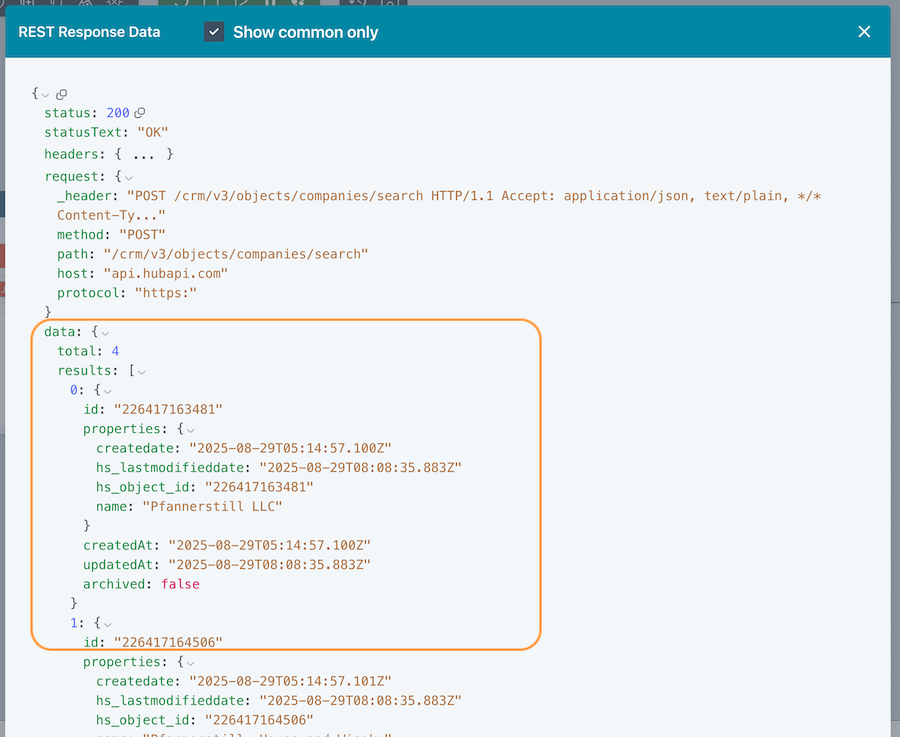
If you experience difficulties with your REST Block, you should step through the Flow and step over the REST Block. At this point, a Data button will appear.
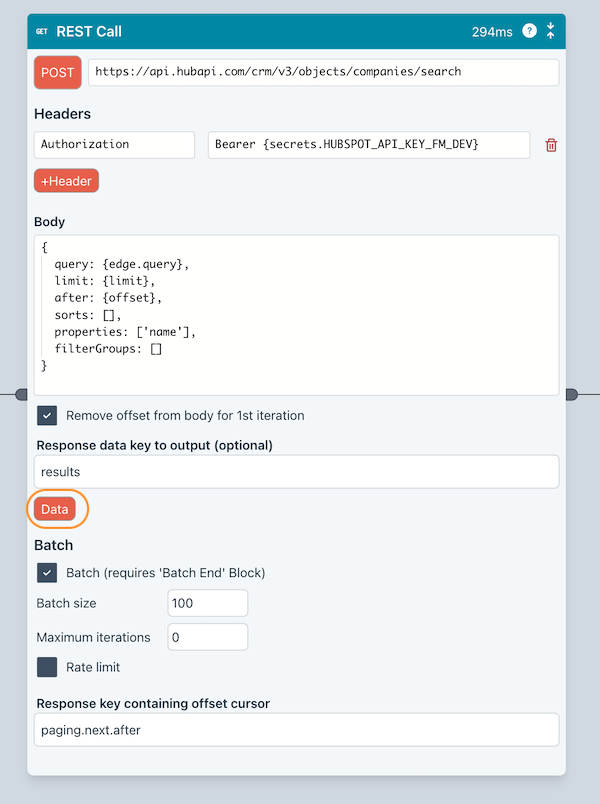
Press this to see the full request and response data. This can help pin down tricky errors.